What Is a Focus Timer That Locks Your Phone?
You start a timer with a clear plan. Then the work gets uncomfortable, the phone is still open beside it, and the focus block quietly disappears. A focus timer that locks your phone gives that plan somewhere to hold.
The problem with ordinary focus timers
A classic focus timer, whether a Pomodoro app, an hourglass or a clock widget, does one job: it measures time. It does not change which apps are available. If checking the phone is the habit you are trying to interrupt, the timer leaves that decision with you for the whole interval.
Short intervals and real breaks are still useful. The missing piece is a boundary around the apps that tend to take the interval somewhere else.
Measuring time vs. holding it
“A focus timer that locks your phone” is common shorthand, but the useful behaviour is more precise: for a fixed time, distracting apps wait while the apps you kept stay usable.
- The time has a clear beginning and a clear end.
- The apps and feeds that usually steal the interval have to wait.
- The goal you named becomes the easiest thing to return to.
- The decision does not reopen every time the work becomes uncomfortable.
Lock the distracting apps, or the whole phone
There are two depths of “lock,” and they suit different moments.
- Block distracting apps. Keep the apps you need, such as maps, music or a study tool, and let the rest wait. This is the right choice when the session still needs your phone for something.
- Lock ordinary phone use (Android). Hermit's Lockdown Mode places the session timer over ordinary phone use and turns on Do Not Disturb, so both apps and interruptions step back until the timer ends. Emergency calling stays available from the phone's lock screen, and system-owned controls remain in charge.
Lockdown Mode is a good fit for a reading hour, a meal, a walk without the feed, or bedtime: moments when the best version of the phone is the one you are not using. It is available on Android; on iPhone, Hermit protects your time by blocking the apps you didn't keep.
A finish time you can trust
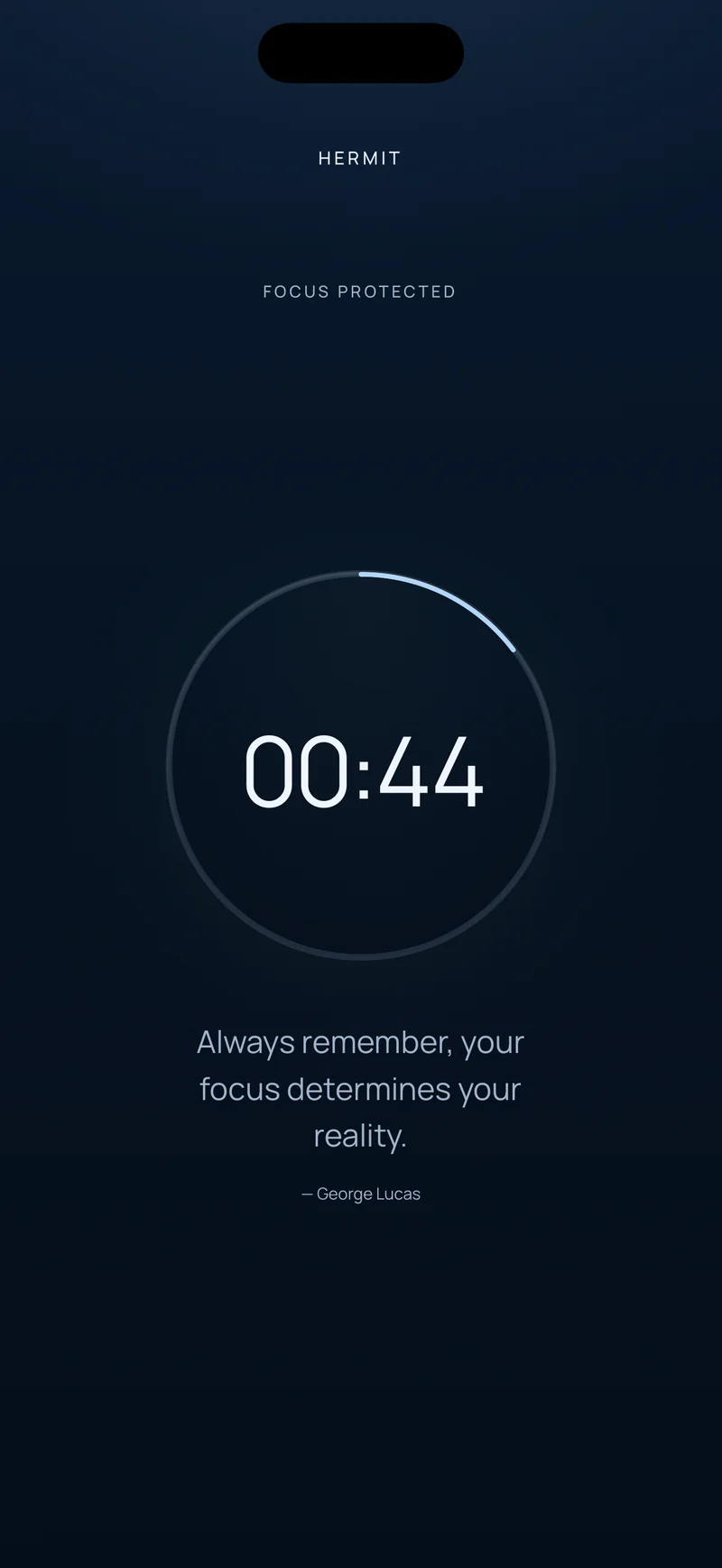
A lock is only as calming as its ending is clear. Before you start, Hermit shows when the session will finish. Once it begins, a countdown and remaining-time ring show what is left.
Hermit follows that original finish time across app restarts and even a device reboot, so reopening the app never restarts the duration. On iPhone, optional Live Activities keep the countdown on your Lock Screen and, on supported iPhones, in the Dynamic Island, so you can check the time without opening anything.
How Hermit holds the focus window
Hermit is an app blocker and focus timer for iPhone and Android built around a simple promise: you choose the time, and Hermit holds the door.
- Pick a duration: 1, 5, 15, 30, 45 or 60 minutes, small enough to start and long enough to reach a visible result.
- Hold to start: hold the start button for two seconds and the distracting apps wait while the result you named gets the room.
- The decision stays made: there is no stop, pause or snooze control in the active session.
- The time becomes visible: the completed session lights up the Hermitage in Stats, turning a good intention into a record you can build on.
Focus timer vs. scheduled app blocker: which fits?
A scheduled blocker suits a recurring rule at a fixed time, like no social apps before 9 a.m. A session timer suits a boundary you start for a specific study block, work interval, evening or bedtime routine. Hermit uses sessions: you choose the duration and the apps that stay available, then begin when the window matters.